
Updated November 2026
Yes, $200 buys a real gaming monitor in 2026, and the headline beats most expectations. Every pick below runs at least 165Hz with a fast IPS or VA panel and adaptive sync, one of them is a genuine 27 inch 1440p monitor at 180Hz, and the cheapest credible option sits near $100. What you give up at this price is polish, not speed: token HDR, modest brightness, basic stands on the value brands, and no USB hubs or speakers.
Prices below are bands from tracked listings in late October and early November 2026, because monitor prices move weekly. Every model was checked against two independent sources before it earned a link, and a pick that climbs over $200 and stays there does not belong in this guide. For the full field at higher budgets, see our main guide to the best gaming monitors. New to the spec language? Our explainer on how to choose a gaming monitor covers refresh rate, panel types, and response time in plain English.
How do the five monitors compare?
| Monitor | Price band | Size | Resolution | Refresh | Panel |
|---|---|---|---|---|---|
| KTC H27T22S | $150 to $180 | 27 inch | 2560 x 1440 | 180Hz | Fast IPS |
| AOC 24G4 | Around $150 | 23.8 inch | 1920 x 1080 | 180Hz | Fast IPS |
| Samsung Odyssey G3 24 inch | $110 to $150 | 24 inch | 1920 x 1080 | 180Hz | VA |
| KTC H24T09P | $100 to $125 | 24.5 inch class | 1920 x 1080 | 165Hz | Fast IPS |
| KOORUI 24E3 | $80 to $120 | 24 inch | 1920 x 1080 | 165Hz | Fast IPS |
How did we pick these five monitors?
Three filters. First, the price had to be genuinely under $200 on current tracked evidence, not a launch price from two years ago. Second, the specs had to be confirmed on manufacturer or established review sources, and where a listing headline disagreed with measured reviews, the reviews won. Third, the Amazon link had to be verified against two sources, because value brands sell near identical models under different listings.
Two picks are community defaults (AOC’s 24G line, Samsung’s Odyssey G3); three are value sellers, two from KTC and one from KOORUI, that bigger roundups skip. One popular model is missing on purpose: the MSI G244F E2 is a fine monitor, but we could not verify its current US Amazon listing to the standard above, so it is out until that changes.
1. Can you really get a 1440p gaming monitor under $200? KTC H27T22S

Yes, and this is the pick that makes the whole category interesting. The KTC H27T22S is a 27 inch Fast IPS monitor at 2560 x 1440 and 180Hz, a spec sheet that cost $300 not long ago. It tracked at $159.99 in early November 2026, and its price history has never gone above $199.99, the safest under $200 claim in this guide.
The compromises are the expected value brand ones. The stand tilts and that is all, though VESA mounting fixes that cheaply. HDR10 support is a checkbox rather than a feature, with no local dimming behind it. And 1440p at 180Hz needs a graphics card that can feed it; owners of older budget cards will spend their time at lower frame rates, where the 1080p picks below make more sense.
One buying note: this model appears under more than one Amazon listing; the link below is the price tracked one.
Key facts
- Price band: $150 to $180
- Panel and size: 27-inch Fast IPS, flat
- Resolution and refresh: 2560 x 1440, 180Hz
- Response time: 1ms GTG (KTC)
- Sync: Adaptive Sync, FreeSync; HDR10
- Ports: 1x DisplayPort, 2x HDMI
- Stand: tilt only, VESA mountable
Pros
- The only genuine 1440p option under $200
- 180Hz at that resolution, with a price history that has never crossed $200
Cons
- Tilt-only stand and minimal extras
- KTC’s support network is thinner than the big brands
2. Why is the AOC 24G4 the default pick for most people?
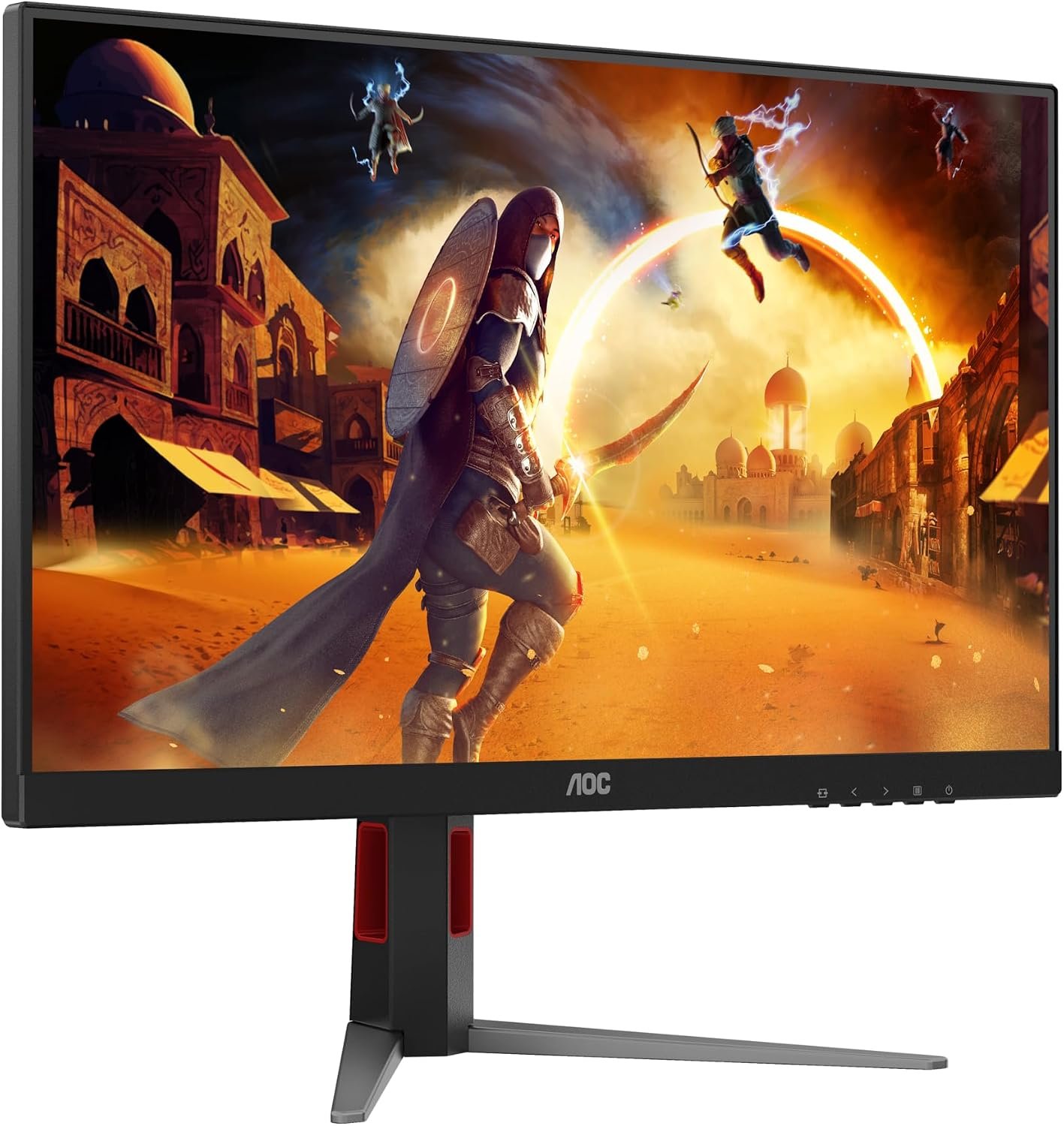
Because the AOC 24G line has been the budget recommendation for years, and the 24G4 is its current form. TechSpot’s review describes it as continuing a popular line “we’ve recommended for some time now,” and its predecessor, the 24G2SP, spent years as the standard answer in budget monitor threads, r/Monitors included. The 24G4 pairs a 23.8 inch Fast IPS panel at 1920 x 1080 and 180Hz with the thing almost no rival at this price offers: a proper stand.
That stand adjusts for height, pivot, swivel, and tilt, which matters more over three years of ownership than any single spec. AOC also backs the panel with a 3-year zero-bright-dot warranty in the US, the strongest coverage in this guide. At around $150, this is the buy for 1080p done properly, with no surprises.
The limits are plain. It is 1080p only, in a guide where $10 to $30 more buys the 1440p KTC above, and there are no built in speakers, no USB hub, and only entry level HDR, like everything here.
Key facts
- Price band: around $150
- Panel and size: 23.8-inch Fast IPS, flat
- Resolution and refresh: 1920 x 1080, 180Hz
- Response time: 1ms GtG (AOC)
- Sync: Adaptive-Sync, G-Sync Compatible
- Ports: 1x HDMI 2.0, 1x DisplayPort
- Stand and warranty: height, pivot, swivel, tilt; 3-year zero-bright-dot warranty (AOC US)
Pros
- The proven budget line, refined: fast panel, full ergonomic stand
- Best warranty in this guide
- Ideal size and resolution for competitive 1080p play
Cons
- 1080p only, close in price to the 1440p pick above
- No speakers or USB hub
- HDR is a checkbox, not a feature
3. What if you want a big brand and deep contrast? Samsung Odyssey G3

The 24 inch Odyssey G3 is the pick for buyers who want a household name and a screen that handles dark games and movies well. Its VA panel delivers a 3000:1 contrast ratio, roughly triple the IPS picks here, so blacks look black rather than grey. It runs 180Hz at 1920 x 1080 with FreeSync Premium, on the same fully adjustable stand as the AOC.
It is also the deal hunter’s pick. The list price is $199.99, right at the guide’s ceiling, but the street price is what matters: Samsung’s own US store showed $109.99, and deal coverage through 2026 repeatedly caught it between $110 and $130 on Amazon. Bought in that band it is excellent value; at full list price, buy the KTC 1440p instead.
The trade offs are the VA ones: narrower viewing angles off centre, and dark transitions that can smear slightly in fast motion compared with the Fast IPS picks. Samsung’s US warranty is one year, the shortest here, and there are no speakers.
Key facts
- Price band: $110 to $150 street (list price $199.99)
- Panel and size: 24-inch VA, flat
- Resolution and refresh: 1920 x 1080, 180Hz
- Response time: 1ms MPRT (Samsung)
- Brightness and contrast: 250 nits, 3000:1
- Sync: FreeSync Premium; HDR10
- Ports and stand: 1x HDMI 2.0, 1x DisplayPort 1.4; height, pivot, swivel, tilt; VESA 100 x 100
- Warranty: 1 year (US)
Pros
- VA contrast that suits dark games, film, and TV
- Full ergonomic stand from a major brand
- Frequently discounted well under its list price
Cons
- VA smearing in dark scenes and narrower viewing angles than IPS
- Only worth it at street price, not at $199.99 list
4. Which monitor under $200 has the best ports? KTC H24T09P

If a PC, a console, and a work laptop share one screen, the KTC H24T09P solves the cable problem better than anything else here: two HDMI 2.0 ports and two DisplayPort 1.4 inputs, where rivals offer two or three ports total. The panel is a 24.5 inch class Fast IPS (23.8 inch viewable) at 1920 x 1080, with FreeSync and G-Sync Compatible sync and a wide 125% sRGB gamut by KTC’s figures. It tracked at $114.99 at the end of October 2026.
One honest caution on the headline number. Reviewers who measured this model, including PCWorld and DisplayNinja, found a 165Hz panel, while the current Amazon listing advertises 180Hz. KTC appears to have revised the panel mid production. Buy it as a proven 165Hz monitor, treat anything above that as a bonus, and it is still one of the strongest port and panel combinations near $100. Beyond that, the compromises are familiar: a tilt only stand and a value brand’s thinner support.
Key facts
- Price band: $100 to $125
- Panel and size: 24.5-inch class Fast IPS (23.8-inch viewable), flat
- Resolution and refresh: 1920 x 1080, 165Hz as reviewed; current listing advertises 180Hz
- Response time: 1ms (KTC)
- Colour: 125% sRGB (KTC)
- Ports: 2x HDMI 2.0, 2x DisplayPort 1.4
- Sync and stand: FreeSync and G-Sync Compatible; tilt only
Pros
- Four modern inputs, the best connectivity under $200
- Tracked price sits near $115
Cons
- Refresh rate discrepancy between reviews (165Hz) and the listing (180Hz)
- Tilt-only stand
- Value brand support and resale
5. What is the cheapest gaming monitor actually worth buying? KOORUI 24E3

The KOORUI 24E3 is the brand the big roundups skip and Amazon buyers keep ordering, and it is the budget pick in our main monitor guide for the same reason. For the price of a basic 60Hz office monitor, $80 to $120 with $105.99 seen on Amazon, you get a 24 inch Fast IPS panel at 1920 x 1080 and a genuine 165Hz over DisplayPort, with Adaptive Sync. For a first gaming setup, that is hard to argue with.
The corners cut are visible and fair. The stand only tilts, brightness is a modest 250 nits, and the ports are older: two HDMI 1.4 (capping you at 144Hz) and one DisplayPort 1.2, so use DisplayPort for the full 165Hz. KOORUI states a 3-year parts warranty, though its support network is thin, and it sells many lookalike models; the link below is the exact 165Hz 24E3.
Key facts
- Price band: $80 to $120
- Panel and size: 24-inch Fast IPS, flat
- Resolution and refresh: 1920 x 1080, 165Hz (DisplayPort), 144Hz (HDMI)
- Response time: 1ms gray-to-gray with overdrive (KOORUI)
- Brightness: 250 cd/m2 typical, 99% sRGB
- Ports and sync: 2x HDMI 1.4, 1x DisplayPort 1.2; Adaptive Sync
- Warranty: 3 years parts replacement (KOORUI)
Pros
- Real 165Hz IPS gaming for under $120
- Light, VESA-mountable (75 x 75mm), easy on weak graphics cards
- The sensible first monitor for a starter rig
Cons
- Tilt-only stand and 250-nit brightness
- HDMI tops out at 144Hz; full speed needs DisplayPort
Should you choose 1080p or 1440p under $200?
Match the monitor to your graphics card, not your ambitions. With a recent mid-range card, the KTC H27T22S at 1440p is the best long-term buy here, and a sharper desktop screen for work. With an older or entry level card, or for competitive shooters where frames beat pixels, 1080p at 180Hz is the smarter spend. Buying 1440p for a card that can only drive it at 60 frames per second is the one real mistake at this budget.
What do you give up under $200?
Four things. Real HDR, which needs local dimming or an OLED panel and starts far above this price. Brightness headroom for sunlit rooms, since most panels here sit near 250 nits. Extras like USB hubs, KVM switches, and usable speakers. And, on the value brands, deep support networks. None of those cost you frames: fast, tear free gaming on a desk at home is fully covered under $200 in 2026.
Frequently asked questions
Is a gaming monitor under $200 actually good in 2026?
Yes, for the things that decide games: refresh rate, response, and sync. A $150 monitor now offers 180Hz and a fast IPS panel, specifications that were mid-range three years ago. What stays premium above $200 is HDR quality, brightness, build, and extras, not speed.
Can a PS5 or Xbox Series X use these monitors?
Yes, within console limits. Both consoles cap at 120Hz, so the HDMI 2.0 picks here (AOC, Samsung, KTC H24T09P) can accept a 120Hz signal, and the PS5 can also output 1440p to the KTC H27T22S. No monitor under $200 offers HDMI 2.1, and none needs it at these resolutions.
Why does every monitor here claim 1ms?
Because 1ms is measured differently across brands: gray-to-gray with overdrive on some, MPRT on others, as the key facts above note. Treat it as a sign the panel is fast and modern rather than a comparable score, and let panel type and refresh rate guide the choice. Our how to choose a gaming monitor guide explains the measuring tricks in full.
Should I wait for a sale before buying?
The bands here are street prices, not list prices, so a fair deal is available most weeks. The Samsung G3 fluctuates the most and is worth buying on a dip toward $110. If a pick is sitting above $200 when you shop, the honest move is the next pick down the list, not paying over the ceiling.
Are curved monitors a better buy under $200?
Usually not. Most curved models at this price use slower VA panels aimed at immersion rather than speed, and give up the ergonomic stands the flat AOC and Samsung include. For mixed or competitive play, the flat picks above are the safer buy; a curved VA only makes sense for close up, single player setups.