

Updated October 2026
For most PC gamers, the Dell G2724D is the gaming monitor to buy in 2026: a 27-inch 1440p Fast IPS panel at 165Hz that regularly sells for under $200. If your games are HDR showcases, the AOC Q27G3XMN adds a Mini-LED backlight and real DisplayHDR 1000 impact in the $200 to $400 band. Competitive FPS players belong on the BenQ Zowie XL2546K, console players on the Gigabyte M28U or Dell G3223Q, premium money on the Alienware AW3423DWF ultrawide QD-OLED.
We did not bench test these monitors. Every panel type, refresh rate, brightness figure and port version below comes from the manufacturer’s own spec page, not from a marketplace listing, because gaming monitor listings misstate these numbers constantly. The shortlist mixes the models owner communities like r/Monitors and r/buildapc recommend on repeat with high-volume Amazon sellers the big roundups skip. Prices are bands checked in October 2026, and every model was checked against CPSC and manufacturer recall notices first.
Quick picks
| Monitor | Best for | Price band | Why it made the list |
|---|---|---|---|
| Dell G2724D | Most people, 1440p value | $150 to $250 | The default r/buildapc answer, full ergonomic stand |
| AOC Q27G3XMN | HDR gaming in the mid band | $220 to $330 | Mini-LED dimming and DisplayHDR 1000, not a sticker |
| LG UltraGear 27GR83Q-B | Fastest 1440p | $270 to $500 | True 240Hz with HDMI 2.1, near its price floor |
| BenQ Zowie XL2546K | Competitive esports | $340 to $500 | The pro FPS standard: 240Hz TN, DyAc+ clarity |
| KOORUI 24E3 | Tight budgets | $80 to $120 | 165Hz Fast IPS for 60Hz money |
| Gigabyte M28U | 4K for PC and console | $300 to $450 | HDMI 2.1, 144Hz and a KVM switch |
| Dell G3223Q | Big-screen 4K and console | $440 to $750 | 32 inches, DisplayHDR 600, Dell service |
| Alienware AW3423DWF | Premium ultrawide OLED | $500 to $900 | QD-OLED at 165Hz, burn-in covered |
How we picked these gaming monitors
Panel type, native refresh rate, resolution, response-time basis, brightness and port versions were confirmed on each manufacturer’s spec page only. If a listing and the manufacturer disagreed, the manufacturer won and the listing number was dropped. That rule changes real decisions: it is why the Zowie below carries no response-time figure (BenQ does not publish one) and why the Alienware’s HDMI port is described as a 100Hz ceiling, not a 165Hz one.
The shortlist balances four things. Speed, meaning native refresh at the panel’s real resolution. Honest HDR, meaning a local-dimming backlight or an OLED panel, not a DisplayHDR 400 logo. Console fit, meaning the port versions deciding if a PS5 or Xbox Series X can run 120Hz. And ownership: warranty length, dead-pixel policy, a stand you can live with. New to the spec language? Our guide on how to choose a gaming monitor explains every term in plain English.
1. Dell G2724D: best 1440p gaming monitor for most people

Ask r/buildapc which monitor to buy and this is the answer that comes back, year after year. The G2724D is a 27-inch Fast IPS screen running 2560 x 1440 at 165Hz over DisplayPort, with 400 nits and colour that holds up for work too. Amazon pricing through October 2026 kept it in the $150 to $250 band: the cheapest route into proper 1440p gaming from a major brand.
The ownership package is the real edge. The stand adjusts for height, tilt, swivel and pivot, rare at this price, and Dell backs the panel with 3-year Advanced Exchange and its Premium Panel Exchange, covering bright pixel defects most brands tolerate. The compromises are honest ones: DisplayHDR 400 with no local dimming is a label, not an HDR experience, there is no USB hub or speakers, and owner threads report panel quality varying between production runs, so buy somewhere with painless returns.
Key facts
- Price band: $150 to $250
- Panel and size: 27-inch Fast IPS, flat
- Resolution and refresh: 2560 x 1440, 165Hz (DisplayPort 1.4), 144Hz (HDMI)
- Response time: 1ms gray-to-gray, Extreme mode (Dell)
- Brightness and HDR: 400 cd/m2, DisplayHDR 400, 99% sRGB
- Ports and sync: 2x DisplayPort 1.4, 1x HDMI; FreeSync Premium, G-Sync Compatible
- Warranty: 3 years, Advanced Exchange and Premium Panel Exchange (Dell)
Pros
- 1440p, 165Hz and a full ergonomic stand at a budget price
- The strongest dead-pixel policy in this list
- 400-nit brightness and accurate colour suit work too
Cons
- No local dimming, so HDR is basic despite the certification
- No USB hub, no speakers, no USB-C
- Panel quality varies between production runs; buy with an easy return
2. AOC Q27G3XMN: best HDR gaming monitor in the $200 to $400 band

Most mid-priced monitors print an HDR logo and deliver washed-out grey. The Q27G3XMN is the exception owner forums keep recommending: a 27-inch VA panel with a Mini-LED backlight in 336 local dimming zones, certified to VESA DisplayHDR 1000. Dark scenes get real blacks and highlights that punch, the thing OLED buyers pay double for, at a $220 to $330 street price.
The trade is the VA panel itself. Contrast is superb, but viewing angles narrow sooner than IPS, dark transitions can smear in fast shooters, and local dimming can bloom around bright objects. It runs 180Hz over DisplayPort 1.4, and AOC lists PS5 and Xbox compatibility at 2560 x 1440 and 120Hz. The 3-year warranty includes a zero-bright-dot guarantee.
Key facts
- Price band: $220 to $330
- Panel and size: 27-inch VA, Mini-LED backlight, 336 dimming zones, flat
- Resolution and refresh: 2560 x 1440, 180Hz (DisplayPort 1.4)
- Response time: 1ms gray-to-gray (AOC)
- Brightness and HDR: up to 1000 cd/m2 peak, DisplayHDR 1000 certified
- Ports and sync: 2x HDMI 2.0, 1x DisplayPort 1.4; FreeSync Premium Pro
- Warranty: 3 years with zero-bright-dot cover (AOC)
Pros
- Genuine HDR impact at a price where rivals fake it
- VA contrast plus local dimming flatters dark, cinematic games
- Consoles run at 1440p and 120Hz, per AOC’s compatibility list
Cons
- VA smearing in dark, fast scenes; viewing angles trail IPS
- Some blooming around bright highlights
- No USB hub or USB-C
3. LG UltraGear 27GR83Q-B: fastest 1440p gaming monitor

If 165Hz stopped feeling fast, this is the step up that does not require an OLED budget. The 27GR83Q-B runs a 27-inch IPS panel at 2560 x 1440 and a native 240Hz, over both DisplayPort 1.4 and HDMI 2.1, so a PS5 or Xbox Series X can also feed it 1440p at 120Hz. It launched at $499.99; Amazon pricing in late October 2026 sat at $269.99.
Colour is honest too: 95% DCI-P3 coverage, 400-nit typical brightness, height, tilt and pivot stand. Two warnings belong in print. DisplayHDR 400 here is a certification without local dimming, so treat HDR as a bonus. And LG’s US warranty runs one year, the shortest in this list, on a monitor people buy to keep for years.
Key facts
- Price band: $270 to $500 (launched at $499.99; near $270 in October 2026)
- Panel and size: 27-inch IPS, flat
- Resolution and refresh: 2560 x 1440, 240Hz (DisplayPort 1.4 and HDMI 2.1)
- Response time: 1ms gray-to-gray, Faster setting (LG)
- Brightness and HDR: 400 cd/m2 typical, DisplayHDR 400, 95% DCI-P3
- Ports and sync: 2x HDMI 2.1, 1x DisplayPort 1.4, USB hub; FreeSync Premium, G-Sync Compatible
- Warranty: 1 year parts and labor (LG US)
Pros
- True 240Hz at 1440p, on HDMI as well as DisplayPort
- Console friendly: 1440p at 120Hz for PS5 and Xbox Series X
- Street price near the cost of 165Hz rivals
Cons
- One-year US warranty is short for the class
- HDR is entry level; no local dimming
- IPS contrast (1000:1) looks grey next to the AOC and OLED picks
4. BenQ Zowie XL2546K: best gaming monitor for competitive esports

Serious FPS players are the one audience that should ignore 1440p. The XL2546K is a 24.5-inch TN panel at 1920 x 1080 and 240Hz, built around DyAc+, BenQ’s backlight strobing that keeps moving targets sharp while you spray. It has been the default screen in pro Counter-Strike and Valorant setups for years, and the smaller size is deliberate: the whole screen sits inside your focus.
Notice what is missing from the key facts: a response-time number. BenQ does not publish a gray-to-gray figure for this monitor, so we do not print one, even though listings happily invent them. What BenQ does publish is 320 nits, three HDMI 2.0 ports and one DisplayPort 1.2, 1080p at 120Hz support for PS5 and Xbox Series X, and a superb stand with 155mm of height adjustment, plus the S-Switch puck and screwless shield in the box. Colour and viewing angles are TN class: a tool for winning gunfights, not for watching films.
Key facts
- Price band: $340 to $500
- Panel and size: 24.5-inch TN (fast liquid crystal), flat
- Resolution and refresh: 1920 x 1080, 240Hz (HDMI 2.0, DisplayPort 1.2)
- Response time: not published by BenQ; DyAc+ strobing instead
- Brightness: 320 cd/m2 typical, 1000:1 contrast
- Ports and sync: 3x HDMI 2.0, 1x DisplayPort 1.2; FreeSync Premium; consoles at 1080p 120Hz
- Warranty: 3 years (BenQ America)
Pros
- DyAc+ motion clarity is still the competitive benchmark
- Smaller base, full stand adjustment, S-Switch and shield included
- Three HDMI ports suit a PC plus consoles on one desk
Cons
- 1080p and TN colour at a 1440p IPS price
- No speakers, no USB-C, no real HDR
- Overkill for single-player and casual play
5. KOORUI 24E3: best budget gaming monitor under $200

KOORUI is the brand the big roundups skip and Amazon buyers keep ordering, and the 24E3 shows why. For the price of a basic 60Hz office monitor you get a 24-inch Fast IPS panel at 1920 x 1080 and 165Hz over DisplayPort, with Adaptive Sync to kill tearing. For a first gaming setup, that spec sheet at an $80 to $120 band is hard to argue with.
The corners cut are visible and fair. The stand only tilts, brightness is a modest 250 nits, and the ports are older versions: two HDMI 1.4 (capping you at 144Hz) and one DisplayPort 1.2, so use DisplayPort for the full 165Hz. KOORUI states a 3-year parts warranty, though its support network is thin. One caution: KOORUI sells many lookalike models, so check the listing really is the 165Hz 24E3; the link below is that exact model.
Key facts
- Price band: $80 to $120
- Panel and size: 24-inch Fast IPS, flat
- Resolution and refresh: 1920 x 1080, 165Hz (DisplayPort), 144Hz (HDMI)
- Response time: 1ms gray-to-gray with overdrive (KOORUI)
- Brightness: 250 cd/m2 typical, 99% sRGB
- Ports and sync: 2x HDMI 1.4, 1x DisplayPort 1.2; Adaptive Sync
- Warranty: 3 years parts replacement (KOORUI)
Pros
- Real 165Hz IPS gaming for under $120
- Light, VESA-mountable (75 x 75mm), easy on weak graphics cards
- The sensible first monitor for a starter rig
Cons
- Tilt-only stand and 250-nit brightness
- HDMI tops out at 144Hz; full speed needs DisplayPort
- Support and resale value trail the big brands
6. Gigabyte M28U: best 4K gaming monitor for PC and console

The M28U answers a specific, common desk: one screen that a gaming PC and a PS5 share. Its 28-inch SuperSpeed IPS panel runs 3840 x 2160 at 144Hz over DisplayPort for the PC, and its two HDMI 2.1 ports take a console at 4K and 120Hz, the combination cheaper HDMI 2.0 screens get wrong. A built-in KVM switch and USB-C mean one keyboard and mouse serves both machines.
Gigabyte’s own manual keeps expectations honest: 300 nits typical and DisplayHDR 400, so HDR here is compatibility, not spectacle. Buy it for resolution, refresh and switching. You do get small speakers (2 x 3W), a height and tilt stand, and a 3-year warranty, in a $300 to $450 band that undercuts most HDMI 2.1 rivals.
Key facts
- Price band: $300 to $450
- Panel and size: 28-inch SuperSpeed IPS, flat
- Resolution and refresh: 3840 x 2160, 144Hz (DisplayPort 1.4); consoles at 4K 120Hz (HDMI 2.1)
- Response time: 1ms gray-to-gray, 2ms MPRT (Gigabyte)
- Brightness and HDR: 300 cd/m2 typical, DisplayHDR 400, 94% DCI-P3
- Ports and sync: 2x HDMI 2.1, 1x DisplayPort 1.4, USB-C, KVM; FreeSync Premium Pro
- Warranty: 3 years (Gigabyte)
Pros
- The PC plus console brief, answered in one screen
- KVM switch and USB-C are rare at this price
- Built-in speakers and a 3-year warranty
Cons
- 300 nits makes HDR a checkbox, not a feature
- Stand adjusts for height and tilt only
- 4K at high refresh needs a strong graphics card on PC
7. Dell G3223Q: best 32-inch 4K gaming monitor

If 28 inches feels tight, the G3223Q takes the same idea to 32 inches and fixes the M28U’s weak spot. Its Fast IPS panel runs 3840 x 2160 at 144Hz, and Dell rates brightness at 400 nits typical with a 600-nit peak and DisplayHDR 600, so HDR highlights carry more weight. Two HDMI 2.1 ports handle consoles at 4K 120Hz, and DisplayPort 1.4 covers the PC.
You give up the Gigabyte’s KVM and USB-C and pay a higher band, $440 to $750, but you get Dell’s package back: height, swivel and tilt stand, 3-year Advanced Exchange. For a desk with the depth, this is the 4K pick with the fewest compromises.
Key facts
- Price band: $440 to $750
- Panel and size: 32-inch Fast IPS, flat
- Resolution and refresh: 3840 x 2160, 144Hz (DisplayPort 1.4, HDMI 2.1); consoles at 4K 120Hz
- Response time: 1ms gray-to-gray, Extreme mode (Dell)
- Brightness and HDR: 400 cd/m2 typical, 600 peak, DisplayHDR 600, 95% DCI-P3
- Ports and sync: 2x HDMI 2.1, 1x DisplayPort 1.4, USB hub; FreeSync Premium Pro, G-Sync Compatible
- Warranty: 3 years, Advanced Exchange (Dell)
Pros
- The most convincing HDR of the IPS picks here
- 32 inches suits 4K, consoles and split-screen work
- Dell warranty and panel service behind it
Cons
- Needs a deep desk; 32 inches is a lot at arm’s length
- No USB-C or KVM, unlike the cheaper Gigabyte
- Top of the band overlaps OLED sale prices
8. Alienware AW3423DWF: best ultrawide OLED gaming monitor
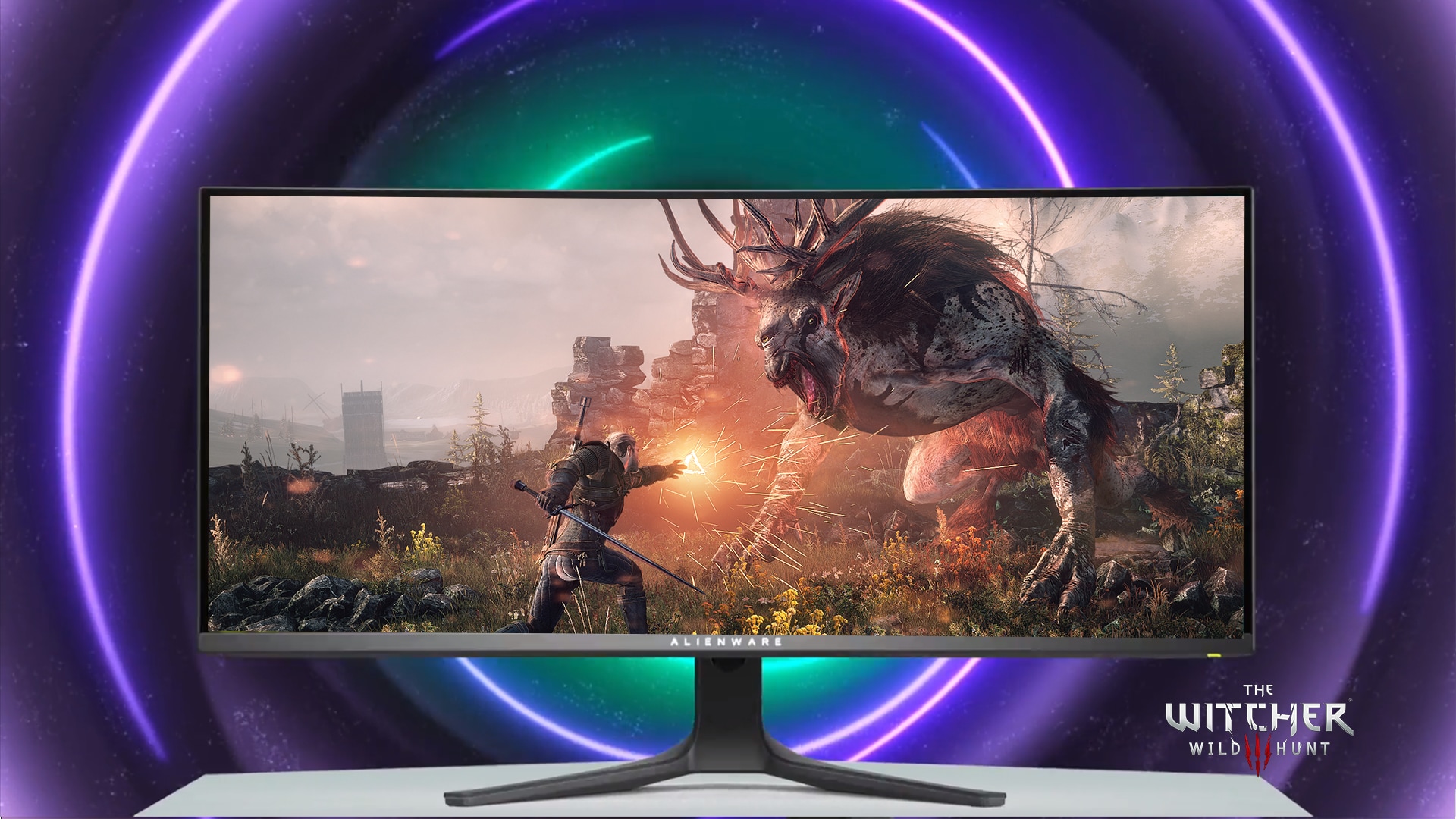
The premium pick is the screen that makes the others look like appliances. The AW3423DWF wraps a 34-inch QD-OLED panel, curved at 1800R, running 3440 x 1440 at 165Hz over DisplayPort. OLED pixels switch in 0.1ms and turn off for black, so contrast is effectively infinite. Dell rates it at 250 nits typical with a 1000-nit peak, VESA DisplayHDR True Black 400 and 99.3% DCI-P3 colour.
Two honest limits. The single HDMI port is version 2.0, capping this panel at 100Hz over HDMI, so it is PC-first and a mediocre console screen. And OLED ownership asks for small habits: vary your content, let the panel refresh cycles run. Dell softens that risk best: the 3-year warranty explicitly covers OLED burn-in. Street prices swing between about $500 and $900; buy when it dips toward the bottom.
Key facts
- Price band: $500 to $900
- Panel and size: 34-inch QD-OLED, 1800R curve, 21:9
- Resolution and refresh: 3440 x 1440, 165Hz (DisplayPort 1.4), 100Hz (HDMI 2.0)
- Response time: 0.1ms gray-to-gray (Dell)
- Brightness and HDR: 250 cd/m2 typical, 1000 peak, DisplayHDR True Black 400, 99.3% DCI-P3
- Ports and sync: 1x HDMI 2.0, 2x DisplayPort 1.4, USB hub; FreeSync Premium Pro
- Warranty: 3 years, including OLED burn-in cover (Dell)
Pros
- Picture quality nothing else in this list can match
- 0.1ms response and 165Hz: fast as well as pretty
- Burn-in covered in writing by the 3-year warranty
Cons
- HDMI 2.0 makes it a poor console monitor
- Text looks fringed for document work (OLED subpixel layout)
- Modest full-screen brightness; bright rooms fight the coating
All 8 gaming monitors compared
| Monitor | Price band | Size | Resolution | Refresh rate | Panel | Warranty |
|---|---|---|---|---|---|---|
| Dell G2724D | $150 to $250 | 27 inch | 2560 x 1440 | 165Hz | Fast IPS | 3 years |
| AOC Q27G3XMN | $220 to $330 | 27 inch | 2560 x 1440 | 180Hz | VA Mini-LED | 3 years |
| LG UltraGear 27GR83Q-B | $270 to $500 | 27 inch | 2560 x 1440 | 240Hz | IPS | 1 year |
| BenQ Zowie XL2546K | $340 to $500 | 24.5 inch | 1920 x 1080 | 240Hz | TN | 3 years |
| KOORUI 24E3 | $80 to $120 | 24 inch | 1920 x 1080 | 165Hz | Fast IPS | 3 years |
| Gigabyte M28U | $300 to $450 | 28 inch | 3840 x 2160 | 144Hz | SuperSpeed IPS | 3 years |
| Dell G3223Q | $440 to $750 | 32 inch | 3840 x 2160 | 144Hz | Fast IPS | 3 years |
| Alienware AW3423DWF | $500 to $900 | 34 inch | 3440 x 1440 | 165Hz | QD-OLED | 3 years |
Is 1440p or 4K better for gaming in 2026?
For most PCs, 1440p. A 27-inch 1440p monitor at 165Hz or above is the sweet spot: mid-range graphics cards can feed it high frame rates, and the picture is visibly sharper than 1080p. Choose 4K if your card is high-end, if you play mostly single-player games, or if a console shares the screen, because consoles are built around 4K output at up to 120Hz. Competitive players should stay at 1080p or 1440p, where the frame rates their games reward actually live.
Complete the setup
If the budget is the whole question, our guide to the best gaming monitor under 200 goes deeper on the cheap end. The same desk budget usually stretches to the best vr headset for immersive play, a controller from our best xbox controller picks, and, for the hobby corner, the best 3d printer for beginners guide. Still deciding which specs deserve your money? Start with how to choose a gaming monitor.
FAQs
Which gaming monitor should most people buy in 2026?
The Dell G2724D. A 27-inch 1440p Fast IPS panel at 165Hz, a full ergonomic stand, Dell’s 3-year Advanced Exchange warranty, and a street band of $150 to $250. It is the pick to beat for a first serious gaming screen.
What refresh rate do I need for PS5 and Xbox Series X?
120Hz is the console ceiling, and the port matters more than the headline rate. For 4K at 120Hz you need HDMI 2.1, which the Gigabyte M28U, Dell G3223Q and LG 27GR83Q-B have. At 1440p, look for a manufacturer-stated 120Hz console mode, like the AOC Q27G3XMN lists. A 240Hz panel still helps PC play; consoles will not use the extra rate.
Does the 1ms response time on the box mean anything?
Less than it suggests. The figure is a gray-to-gray measurement, usually at the most aggressive overdrive setting, and makers measure it differently. Treat it as a class signal, not a ranking. That is why this guide prints no response figure for the Zowie XL2546K: BenQ does not publish one.
Is an OLED gaming monitor worth it?
For picture quality, yes: per-pixel light control gives contrast and response no LCD matches, as the Alienware AW3423DWF shows. The costs are real: a higher price band, modest full-screen brightness, and burn-in risk on static content. Dell’s written burn-in cover makes the AW3423DWF the low-anxiety way in.
Can one monitor serve a gaming PC and a console?
Yes, if the ports are right: HDMI 2.1 for the console, DisplayPort for the PC, and a KVM switch if you share a keyboard and mouse. The Gigabyte M28U was picked for exactly this desk; the Dell G3223Q covers it at 32 inches.
What size gaming monitor is best?
24 to 25 inches for competitive 1080p, 27 inches for 1440p, 28 to 32 inches for 4K, 34 inches for ultrawide. Bigger is not automatically better: a 32-inch screen asks for a deeper desk, and a 27-inch 1440p panel is sharper per inch than a 32-inch one at the same resolution.
2 thoughts on “Best Gaming Monitors”